Photo: I'm Zion / Pexels
Passkeys in India: How to Ditch Passwords for Good
If you have ever frozen for a second before tapping a link in an SMS that claims your account is blocked, passkeys are built for exactly that moment of doubt. They are the quiet replacement for the password, and they have a property no password or OTP can match: there is nothing for a scammer to trick out of you. The login secret never leaves your phone, so it cannot be typed into a fake page, forwarded to a stranger, or spilled in a company data breach.
India is one of the most phished countries on the planet. Fake bank pages, courier-delivery scams and "KYC expired" messages all rely on one thing — convincing you to hand over a password or a one-time code. Passkeys break that entire business model. Here is what they actually are, which apps in India already support them, and how to switch over without locking yourself out.

What a passkey really is
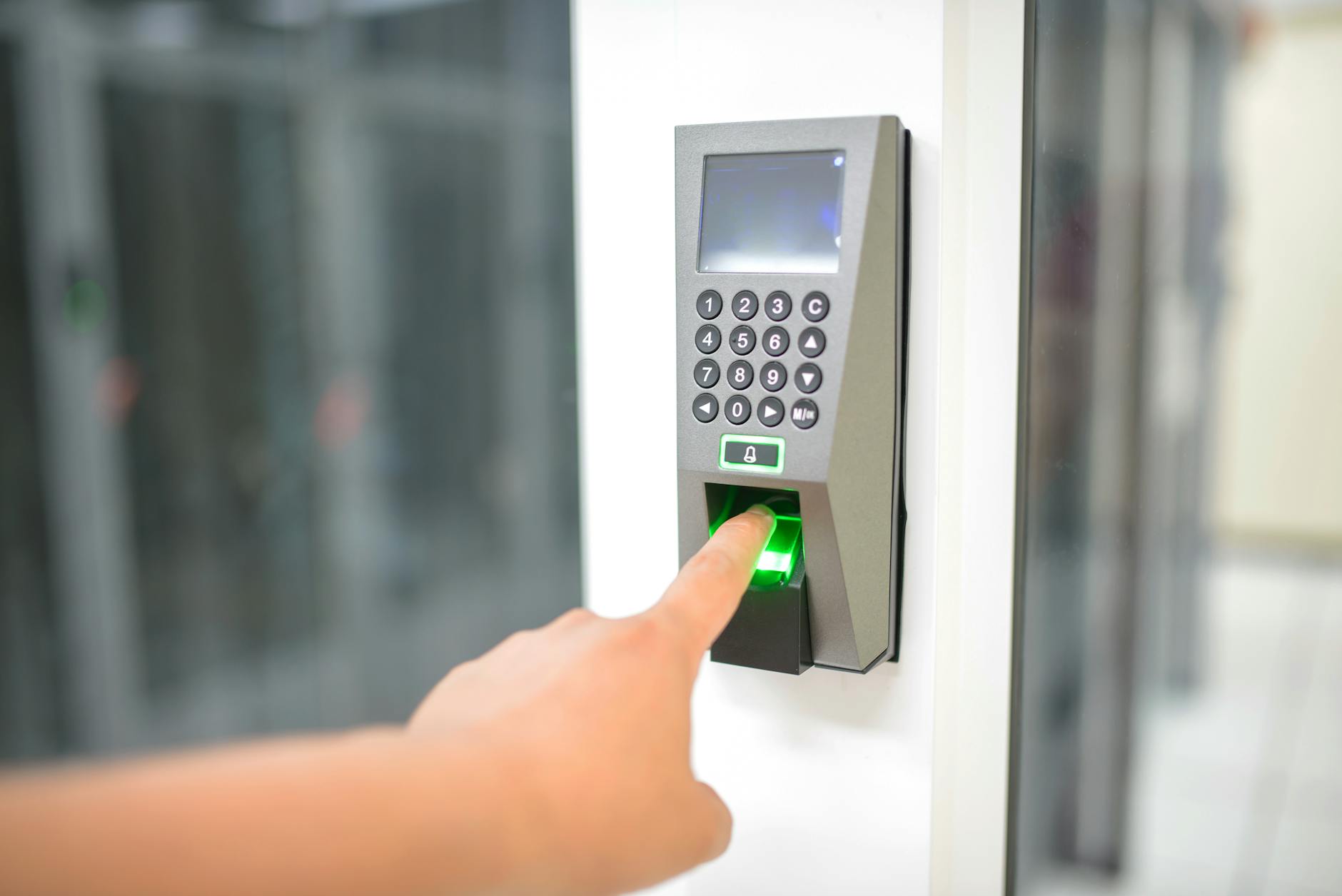
A passkey is a pair of digital keys created on your device. One key is public and sits on the company's server; the other is private and stays locked inside your phone, laptop or a hardware security key. When you log in, the service sends a challenge, your device signs it with the private key, and you approve that signature with your fingerprint, face or screen PIN.
The private key is never sent anywhere. That single design choice is why a passkey is described as phishing-resistant. A fake website can copy a bank's logo perfectly, but it cannot fake the cryptographic handshake, and your device simply will not offer the passkey to the wrong domain.
Technically this runs on open standards called FIDO2 and WebAuthn, backed by Apple, Google, Microsoft and a long list of banks. You do not need to know any of that to use it. From your side it feels like nothing more than unlocking your phone.
Why this matters more in India than almost anywhere
Most Indian account takeovers do not happen because someone "hacked" a server. They happen because a victim was talked into revealing an OTP, or typed a UPI PIN into a screen-sharing app, or entered a password on a lookalike site. The weak link is the human, by design.
Passkeys remove the thing the scammer is fishing for. There is no reusable secret to read out over a phone call. Even if you are mid-conversation with a convincing "bank officer", there is no code that completing the login depends on. Three points are worth holding onto:
- A leaked database of passkeys is useless to attackers, because it only contains public keys.
- A passkey will not autofill on the wrong website, which kills most phishing pages outright.
- You stop reusing one password across ten apps, so a breach at one service no longer threatens the rest.
For a country that runs daily life through UPI, banking apps and government portals, that shift is significant. It does not make you immune to social engineering — someone can still trick you into authorising a payment — but it closes the single most exploited door.
Which apps in India already support passkeys
Adoption is further along than most people realise. You can turn passkeys on today for several services Indians use constantly:
- Google — your entire Google Account can be protected with a passkey, which covers Gmail, Drive, YouTube and Android sign-ins.
- WhatsApp — supports a passkey to lock the app and protect re-verification, a direct defence against SIM-swap and account-hijack attempts.
- Apple ID — passkeys are baked into iPhones and sync through iCloud Keychain.
- Amazon — lets you sign in to the app and website with a passkey instead of a password.
- Microsoft, GitHub, PayPal and many others — all offer passkey logins for accounts Indians use for work and money.
Indian banks and fintech apps are moving more slowly, partly because regulations still lean on OTP-based two-factor checks. Several already use device-bound biometric login under the hood, which is passkey-like in spirit. Expect the formal passkey label to spread across banking and government logins over the next couple of years as the standard matures locally.
How to set one up, step by step
The flow is similar across services. Using your Google Account as the example, because it protects so much else:
- Make sure your phone has a screen lock — fingerprint, face unlock or a PIN. A passkey is only as strong as the lock that guards it.
- Open your Google Account settings and go to the Security section.
- Find the passkeys option, tap to create one, and approve with your biometric.
- Test it: sign out on another device and log back in using the passkey prompt.
- Repeat for WhatsApp, Amazon and any other supported app from inside each app's security settings.
On an iPhone, passkeys live in iCloud Keychain and sync automatically across your Apple devices. On Android, they sync through Google Password Manager. You can also store a passkey on a physical security key — a small USB or NFC device — if you want the most locked-down setup, which is overkill for most people but useful for high-value accounts.
The catch nobody warns you about
The convenience of passkeys is also the risk: they are tied to your device and your cloud account. If you lose your phone and have no way back into your Google or Apple account, you can get locked out. Sort out recovery before you go all-in.
- Keep a second sign-in method alive on important accounts — a backup phone, a recovery email, or a saved password — until you are confident in the setup.
- Make sure your Google or Apple account itself has strong recovery options, since your passkeys ride on it.
- Consider a cheap hardware security key as an offline backup for your most critical login.
- Never delete your old password the same day you add a passkey. Live with both for a few weeks first.
There is also a cross-device gap. A passkey created in your Apple world does not automatically appear in your Google world, so people who mix an iPhone with a Windows laptop sometimes juggle two copies. The standards bodies are working on portability, and you can already use your phone's passkey to log in on a nearby computer over Bluetooth as a stopgap.
Where this is heading
The direction of travel is clear: the password is being retired, not patched. Within a few years, signing into your bank or a government portal with a fingerprint and nothing else will feel as ordinary as paying by UPI does now. The OTP, that small string of digits scammers have spent a decade hunting, becomes far less central.
You do not need to wait for that future to start. Turn on a passkey for your Google Account this week, add WhatsApp and Amazon next, and keep your recovery options tidy. The reward is a login that a fraudster on a phone call simply cannot talk you out of — and in India, that is worth more than any new feature.