Photo: I'm Zion / Pexels
Passkeys in India: How to Finally Ditch the Password
The login that has nothing for a scammer to steal
Most account takeovers in India don't start with a Hollywood hack. They start with a password reused across five sites, or an OTP read out loud to a polite stranger claiming to be from your bank. Passkeys are the technology built to make both of those attacks pointless, and in 2026 they are quietly arriving on the apps Indians use every day — Google, WhatsApp, Apple ID, and a growing list of banks and shopping sites.
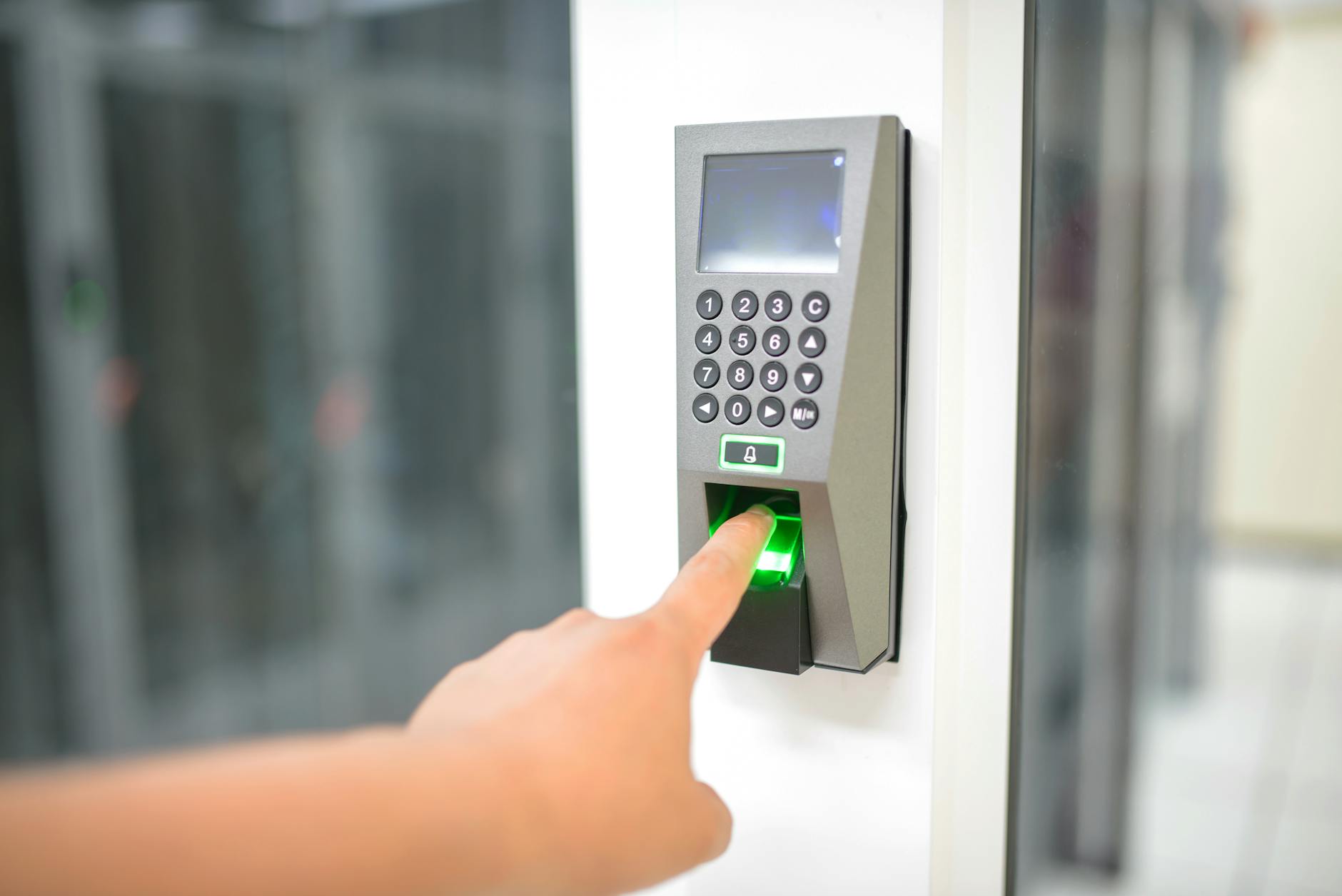
A passkey replaces your password with something you already use to unlock your phone: a fingerprint, a face scan, or a screen PIN. There is no string of characters to remember, type, reuse or leak. And crucially, there is nothing a fraudster can talk you into revealing, because the secret part of a passkey never leaves your device and is never shown to you at all.
This guide explains how passkeys actually work, why they are harder to phish than anything you use now, and exactly how to switch your most important accounts over in a few minutes.

How a passkey is different from a password
When you create a passkey, your phone generates two mathematically linked keys. The private key stays locked inside your device's secure hardware. The matching public key is handed to the website. Think of the public key as a padlock you give the site, and the private key as the only key that opens it — a key that never leaves your pocket.
To log in, the website sends a one-time puzzle that only your private key can solve. Your phone solves it after you approve with your fingerprint or face, and sends back the answer. The site checks it against the public key it stored and lets you in. At no point does any reusable secret travel across the internet.
This is built on open standards called FIDO2 and WebAuthn, backed by Apple, Google and Microsoft together. That shared foundation is why a passkey you make on an Android phone works the same way on a website opened in Safari on an iPhone.
Why scammers hate passkeys
The single most important property is this: a passkey is bound to the exact website it was created for. If you made a passkey for your bank and a fake bank.example-secure-login.in page tries to use it, your phone simply refuses, because the domain doesn't match. The classic phishing trick — a near-identical fake page that harvests what you type — stops working.
Compare that with what you rely on today:
- Passwords can be guessed, reused, leaked in a breach, or typed into a fake site.
- SMS OTPs can be intercepted, SIM-swapped, or socially engineered out of you over a phone call.
- Passkeys have no shared secret to steal and refuse to work on the wrong domain.
There is no number to read aloud, no code that arrives by text, no master password that unlocks everything if it leaks. For the millions of Indians targeted by vishing calls and fake payment pages, that shift matters more than any antivirus.
Setting up your first passkey in two minutes
Start with the account that protects the most: your Google account, since it often anchors your email, payments and recovery for everything else.
- On your phone, open your Google Account settings and go to the Security section.
- Find the option labelled Passkeys and tap to create one.
- Approve with your fingerprint, face or screen lock. That's it — the passkey is saved.
- Next time you sign in, choose "use a passkey" instead of typing a password.
For WhatsApp, open the app, go to Settings, then Account, then look for a passkey option under your security settings. Once enabled, you confirm a new login or device with your biometric instead of waiting for an SMS code — a meaningful upgrade given how often WhatsApp takeover scams begin with a stolen verification code.
For an Apple ID, passkey-style sign-in is handled through iCloud Keychain and your device passcode, Face ID or Touch ID. On Android, Google Password Manager plays the same role, storing and syncing your passkeys across the phones and tablets signed in to your account.
A growing number of Indian platforms — some banks, large e-commerce apps and government logins — now show a "set up passkey" or "sign in faster" prompt. When you see it on a service you trust, take the thirty seconds to enable it.
The part nobody explains: sync and recovery
The most common worry is reasonable: if my login lives on my phone, what happens when I lose the phone? The answer depends on which kind of passkey you have.
Synced passkeys are the common type. They are encrypted and backed up to your Google or Apple account, so when you sign in to a new phone, your passkeys come along after you verify your identity. Losing the handset is not the same as losing the account.
Device-bound passkeys, often used by banks and physical security keys, never leave the single device. They are more secure but offer no automatic backup, so you must register a second device or keep a fallback method.
A few habits keep you safe either way:
- Keep at least one backup sign-in method active — a second passkey on another device, or a recovery email and phone you control.
- Save any backup codes a service offers when you first turn on passkeys, and store them offline.
- Protect your Google or Apple account itself fiercely, because it is now the master key to your synced passkeys.
Where India stands, and what's coming
Adoption is uneven but moving fast. The big global apps already support passkeys; Indian banks and fintechs are rolling them out more cautiously, usually as an extra option alongside the familiar password and OTP rather than a full replacement. Expect that to flip over the next couple of years, with passwordless becoming the default prompt rather than the hidden setting.
The direction is set by the same standards bodies pushing the rest of the world, so India isn't building a separate system — it is plugging into a global one. That is good news for anyone who travels, shops on international sites, or juggles a work and personal device.
A realistic expectation helps here. Passkeys dramatically shrink the most common attacks, but they are not a magic shield. A scammer who tricks you into approving a transaction inside your own banking app, or who gets physical access to an unlocked phone, can still cause harm. Treat passkeys as the strongest lock you can fit on the front door, then keep doing the basics: lock your screen, ignore unsolicited "verify your account" calls, and never approve a prompt you didn't start yourself.
The bottom line
If you do one security task this month, make it this: create a passkey for your primary email and your messaging app, and confirm you have a backup way in. It costs a couple of minutes and removes the single weakest link — the reusable secret — that almost every Indian scam is designed to capture. The password isn't dead yet, but for the first time you have a genuinely better option, and it's already sitting in your phone's settings.